WordPress plugin

e-toolkit Form Builder

Build simple and advanced forms with drag-and-drop, create calculations and multi-step forms, save submissions, and automate emails, webhooks, and integrations — without piecing the process together from multiple plugins.

Forms
Automation
Integrations
AJAX
Submit without reloading the page
Multi-step
Multi-step forms
Mail + CRM
Emails, webhooks, and integrations
WP
Shortcode and REST API
How it works

One builder. From the form to the complete submission workflow.

From drag-and-drop field building, logic, calculations, and validation to submission storage, emails, webhooks, and integrations.

Forms

Build forms visually with drag-and-drop

The full-screen builder lets you add, remove, and reorder fields without writing code. Start with a ready-made contact form or newsletter preset and then adapt every element to your own process.
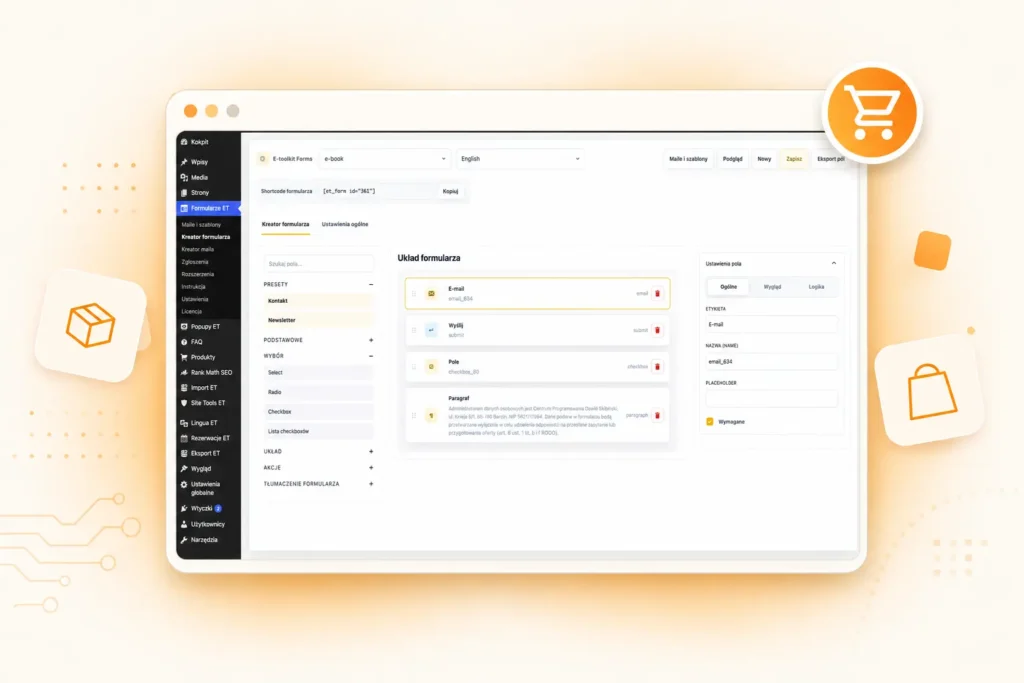
  • visual drag-and-drop builder for every form
  • ready-made contact form and newsletter presets
  • publish with shortcode and use the REST API
Fields, steps, and logic

Build forms for both simple and complex processes

The builder supports a wide range of field types, multi-step forms, repeatable sections, and conditional logic. You can build anything from a simple contact form to a detailed project brief, calculator, quotation form, or lead qualification flow.
  • text, email, phone, number, date, textarea, file, select, radio, checkbox, hidden, and informational fields
  • multi-step forms and repeater sections for multiple people, products, or items
  • show/hide logic plus configuration of labels, placeholders, widths, validation, and field options
Automation

Automation starts after the form is submitted.

After submission, you can save the entry, send multiple conditional messages, trigger a webhook, redirect the user, or pass data to an external application.

Submissions and communication

Manage submissions and communication without adding more plugins

Submissions are stored in a dedicated WordPress table. You can filter them, change statuses, add notes, export data, and track the history of emails, webhooks, and other post-submission actions.

  • submission statuses, admin notes, filtering, search, and pagination
  • multiple email actions with separate recipients, subjects, content, and conditions
  • CSV and JSON export, submission history, and retrying failed operations
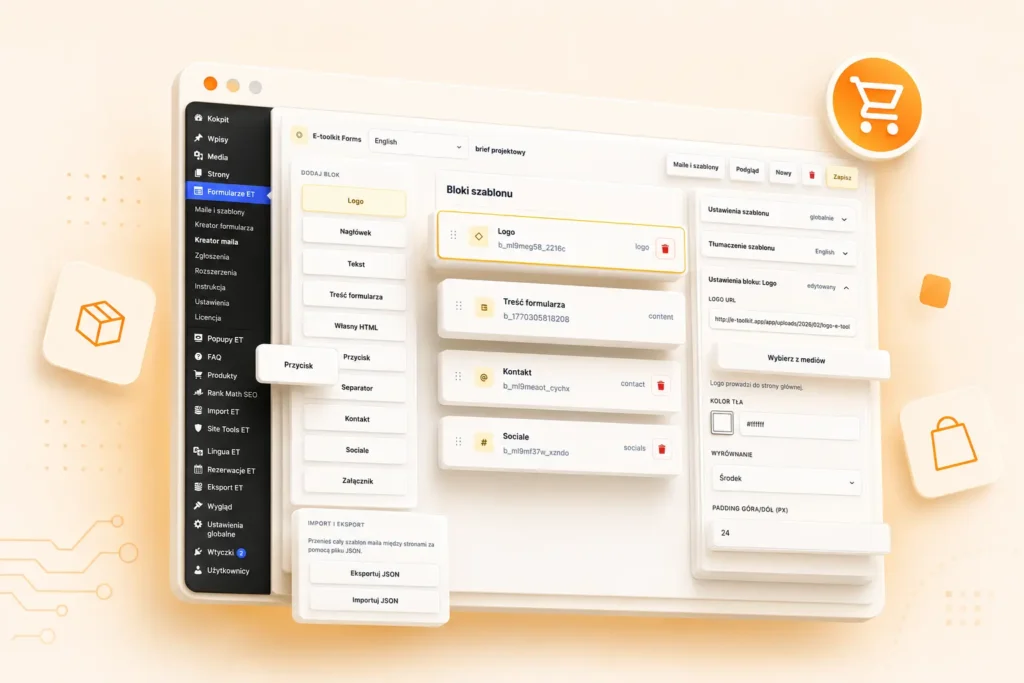
  • visual email template builder, dynamic field tags, preview, and test sending
Integrations

Connect forms with external systems and automations

Submission data can be sent through a webhook or ready-made integration extensions. Actions run in a defined order, can have their own conditions, and their results are stored with the submission.

  • Google Sheets, Mailchimp, HubSpot, and ActiveCampaign
  • Airtable, Slack, and Salesforce
  • Zapier, Make, and n8n through a standard webhook
  • HMAC webhook signature, execution conditions, and retrying failed integrations
Feature set

Key E-Toolkit Form Builder capabilities

From simple contact forms to multi-step briefs, calculators, surveys, payments, and automations. The core plugin can be extended with add-ons without changing the way you build and manage forms.

Flexible form builder

  • Drag-and-drop and ready-made presets
  • Wide range of field types
  • Responsive widths and per-field configuration
  • Shortcode and REST API

Multi-step forms

  • Split forms into multiple steps
  • Repeatable sections for multiple people or items
  • Show and hide fields based on user responses
  • Save a draft and return to the same step

Calculations and pricing

  • Live calculations
  • Mathematical formulas, currencies, and percentages
  • Configurable rounding rules
  • Server-side recalculation for security

Validation and security

  • Client-side and server-side validation
  • reCAPTCHA v3 and rate limiting
  • Secure file handling, nonces, and permission checks
  • Data sanitization and secure calculation processing

Submission management

  • Statuses: new, read, handled, and spam
  • Filtering, search, notes, and bulk actions
  • Full history of emails, webhooks, and status changes
  • CSV/JSON export and automatic data retention

Emails and post-submission actions

  • Multiple independent email actions in one form
  • User confirmations and administrator notifications
  • Visual builder, import/export, and test sending
  • Dynamic field data and action conditions

Webhooks and integrations

  • Webhook with HMAC signature and execution history
  • Google Sheets, Mailchimp, HubSpot, ActiveCampaign, and Airtable
  • Slack, Salesforce, Zapier, Make, and n8n
  • Retry failed integrations without resubmitting the form

Extensions and scalability

  • Payments: Stripe Checkout and PayPal Checkout
  • Surveys and Quizzes: surveys, quizzes, results, and statistics
  • ET Lingua: multilingual forms and structure synchronization
  • Public hooks, filters, and a custom integration registry

Ready to build a form that handles the entire process from the first field to the final integration?

Bring drag-and-drop, multi-step forms, calculations, submission storage, emails, webhooks, REST API, and extensions together in one consistent WordPress tool.

Forms

FAQ

Frequently asked questions about the form builder, calculations, submissions, automation, security, integrations, and E-Toolkit Form Builder extensions.

What is E-toolkit Form Builder?

E-toolkit Form Builder is a tool for creating forms in WordPress. It lets you build contact forms and data collection forms without having to create them from scratch in code.

What can I use E-toolkit Form Builder for?

You can use it for contact forms, quote request forms, lead generation, and other forms tailored to the needs of your website.

What is e-toolkit?

e-toolkit is a set of plugins, tools, and applications for WordPress, WooCommerce, and businesses operating online. The solutions help automate everyday work, grow sales, and make it easier to manage websites, stores, and business processes.

Do e-toolkit plugins work with WordPress?

Yes. e-toolkit plugins are built for WordPress, and some of them also extend WooCommerce functionality.

Can I test a plugin before purchasing it?

Yes. Selected e-toolkit products include a 14-day free trial, allowing you to test the solution on your website or store before making a decision.

Do I need programming knowledge to use e-toolkit plugins?

No. Most features are designed so they can be configured without writing code. More advanced options can also be used by developers and WordPress administrators.

Are e-toolkit plugins only for WooCommerce stores?

No. Some plugins are built specifically for WooCommerce, but e-toolkit also includes tools for regular WordPress websites and SaaS solutions that work independently from WordPress.

What is e24 Workspace?

e24 Workspace is an application for organizing company and team work. It helps manage projects, tasks, and everyday collaboration in one place.

Will e-toolkit be expanded with more plugins and tools?

Yes. e-toolkit is a growing ecosystem. New tools for WordPress, WooCommerce, and business automation are planned as the platform continues to develop.