A cleaner WordPress admin panel
- Disable unnecessary elements
- Cleaner admin menu
- Comments and media settings
- Ready-made presets for different website types
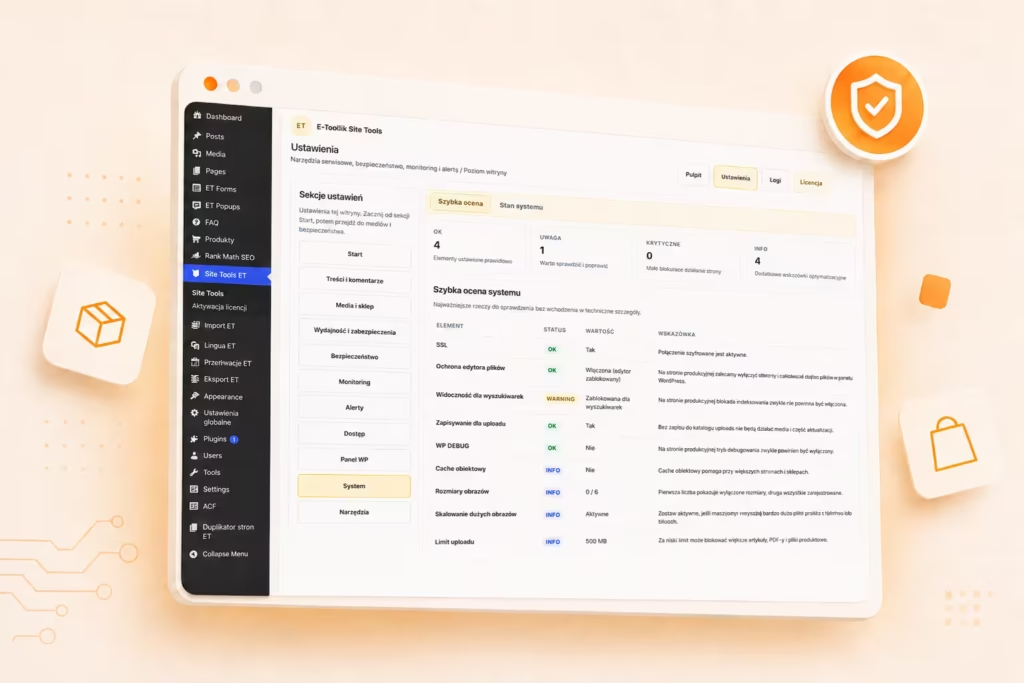
Security, monitoring, alerts, and WordPress admin organization in one place
E-toolkit Site Tools combines security, monitoring, notifications, and admin tools in one panel for a single WordPress site or a multisite network.
The plugin lets you disable comments, restrict external access, organize the admin panel, hide unnecessary WordPress elements, and apply essential security settings from one place.
Site Tools records an activity log, lets you export action history, sends notifications, and helps quickly detect changes to users, content, plugins, settings, and WooCommerce.

From quick setup and ready-made presets to security, logs, maintenance mode, and system health monitoring.
Wtyczka ma własny panel z zakładkami Start, Treści i komentarze, Media, Wydajność i zabezpieczenia, Security, Monitoring, Alerts, Dostęp, Panel WP, Site status i Narzędzia.

Panel Site status pokazuje szybki przegląd środowiska, a zakładka Narzędzia pozwala uruchomić tryb konserwacji, przejść do ważnych ekranów WordPressa i wykonywać działania operacyjne bez instalowania kolejnych dodatków.

Four key areas that help organize the WordPress admin panel, improve security, and respond to issues faster.
A cleaner WordPress admin panel
Essential website security
Monitoring and notifications
Admin tools
Frequently asked questions about WordPress security, logs, alerts, maintenance mode, and multisite.
e-toolkit is a set of plugins, tools, and applications for WordPress, WooCommerce, and businesses operating online. The solutions help automate everyday work, grow sales, and make it easier to manage websites, stores, and business processes.
Yes. e-toolkit plugins are built for WordPress, and some of them also extend WooCommerce functionality.
Yes. Selected e-toolkit products include a 14-day free trial, allowing you to test the solution on your website or store before making a decision.
No. Most features are designed so they can be configured without writing code. More advanced options can also be used by developers and WordPress administrators.
No. Some plugins are built specifically for WooCommerce, but e-toolkit also includes tools for regular WordPress websites and SaaS solutions that work independently from WordPress.
e24 Workspace is an application for organizing company and team work. It helps manage projects, tasks, and everyday collaboration in one place.
Yes. e-toolkit is a growing ecosystem. New tools for WordPress, WooCommerce, and business automation are planned as the platform continues to develop.
Yes. If you have a problem with installation, configuration, or how a product works, you can contact e-toolkit support.
You can contact the e-toolkit team and describe the problem, feature request, or product idea. User feedback helps shape future versions of the tools.
E-toolkit Site Tools is a set of additional tools that make everyday WordPress administration easier. It helps speed up repetitive tasks and can reduce the need for multiple small utility plugins.